Welcome to Week 3 of my Development Diary. The focus of this week is to start building skills around using Phaser, the game engine that is will be used to develop a 2D prototype. To begin with, building skills around Phaser is first to start making a basic platformer by understanding how to apply physics and animation to the object in the game.
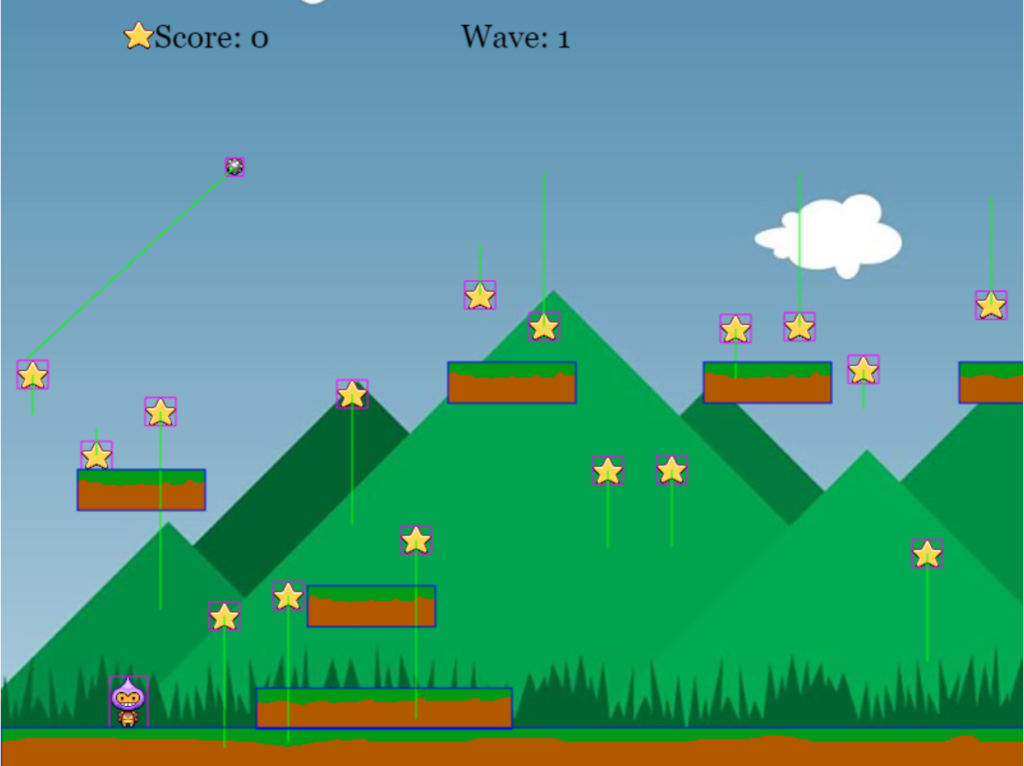
Previously working with HTML and Javascript, these are used around where the HTML loads the game view. At the same time, Javascript contains all the scripts and mechanics of how the player interacts with a game level and stores the properties of the player character. However, some additional files are required from this to allow for the Phaser frame to be built around the HTML and also loading assets into the game in the background to be rendered.
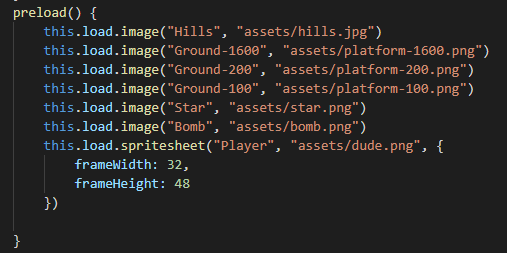
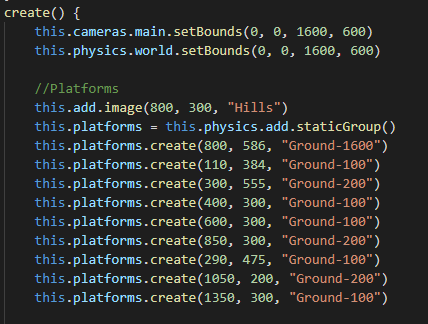
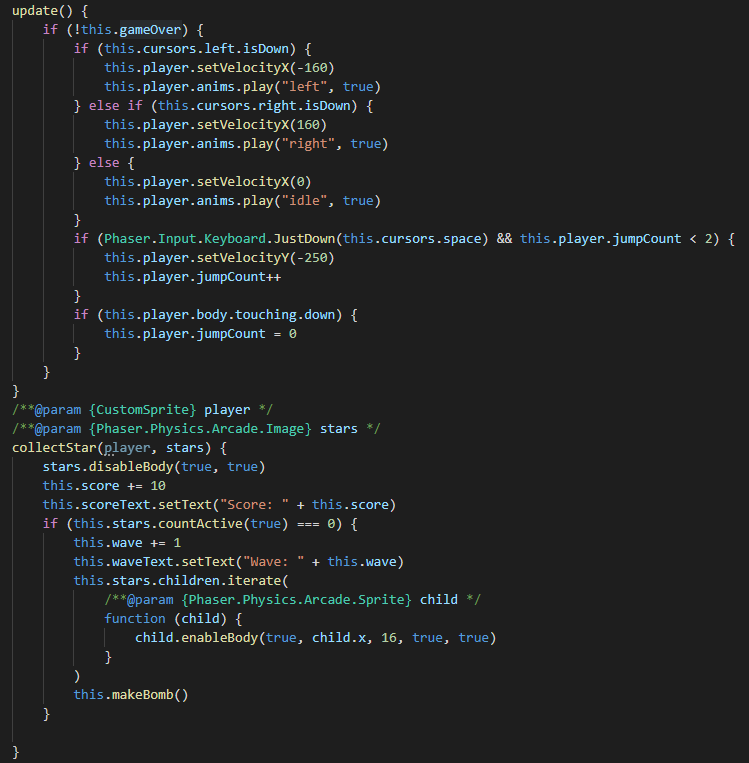
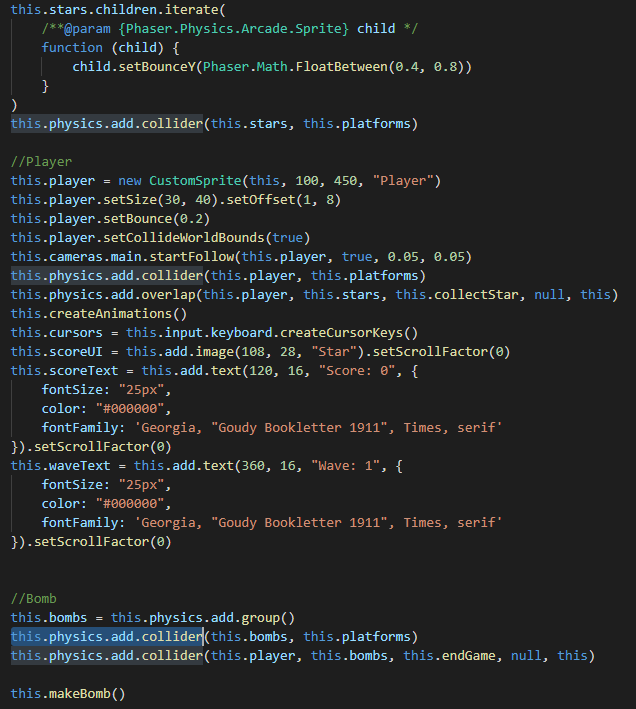
When the HTML loads, the script will run to begin loading the first scene, which is the game’s first level and within each level contain three functions. There is “preload”, which loads the asset, “create”, which create new objects in the game world that will also read any additional classes when required. For example, the player has a class attached to the object, which allows bringing variables straight to the object without conflicting with other objects. This is also used to place all the platforms in the game world by grabbing the tagged and writing the coordinate to place the object down. While I can see being helpful when I want to animate a platform to move up or down, this approach I can see can be slow to building the level as it requires working where you want each object platform to be placed. Finally, a function called “Update” is made to keep checking on condition made during the game, such as if the player collides with the star, they will collect the item and then disable it.
The script is contained in a constructor to create many of the same types of objects, which allows for creating many different objects throughout the game world. In this platformer demo, the game’s goal is to survive as long as possible by collecting as many stars as possible while avoiding the bomb that bounces around the game world. Whenever the player collects all the currently rendered stars, more stars are created after this, but an additional bomb is made to increase the difficulty of surviving. The physics around the game is that there are colliders made around each of the objects to where this allows the player to land on the platform, collect stars, and have a game over mechanic to when the player touches the bomb. In the future, I hope to expand this mechanic by adding a health counter system to when the player health reaches 0, then give them game over.
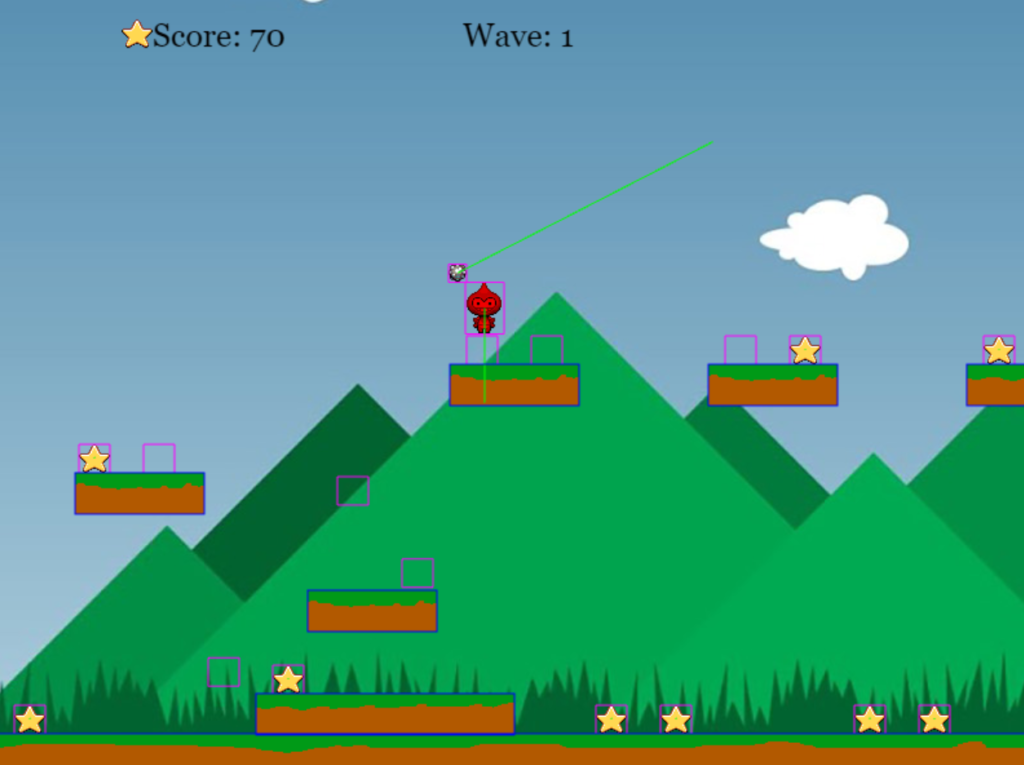
Lastly was setting animation around the player to when they will animate based on what key is being pressed and the action performed. For example, if the player presses the left key, the player will move left and play the left movement animation as feedback. This was not an issue from previous experience with animating 2D sprites because of working with the sprite sheet and knowing which frame to call on. Overall, I am happy with how this first demo platformer turned out; learning some of the Javascript on the web development has helped out because it allowed me to identify what is in the coding language and know how to apply the logic around the game due to working previously on visual scripting.
You can try out the preview of the game by clicking the LINK.