Welcome to week 4 of the Indie Development Project. Previously, I worked on more Unreal Engine 4 by implementing new ideas to test out for the project. These ideas were developing a teleporter that would teleport the player to another location in the game world, a jump pad that can bounce the player upwards and the ability to transport the player to another level.
This week was to focus on developing UI for Unreal Engine 4. Early on, I planned to implement UI to the test project by tracking how many coins the player had collected in the game. To do this, I made use of creating a Widget Blueprint.

Above (Figure 1) is the Widget Editor of the blueprint, where you can insert and place all the UI elements to load when called to create in the viewpoint of the game. In the test project, I inserted a health bar for the player and a counter that tracks how many coins the player has collected during the game. I used these UI elements as an example for making sure the UI displays correctly later in the game. Next, I started to develop the blueprint around the widget.

In the blueprint (Figure 2), I created an “Event Construct”, which functions similarly to “EventBeginPlay” in the previous blueprints but is used for UI purposes. In the event, the blueprint gets the “GameInstancesDemo” blueprint, which holds the number of coins collected during the game and then binds it to a custom event called “UpdateCoinCounter”. Whenever the player collects a coin during the game, the custom event is called on, which will then set the text of the coin counter to be based on how many coins the player has collected during the game. To know if this blueprint works in the game, I will need to get the game to create the UI whenever the game is loaded. I opened up the level blueprint and created the following blueprint below.

In the blueprint (Figure 3), the game will create the “BP_UI”, which is the widget blueprint above and then set it by adding it to the Viewport. The results from this can be seen below.
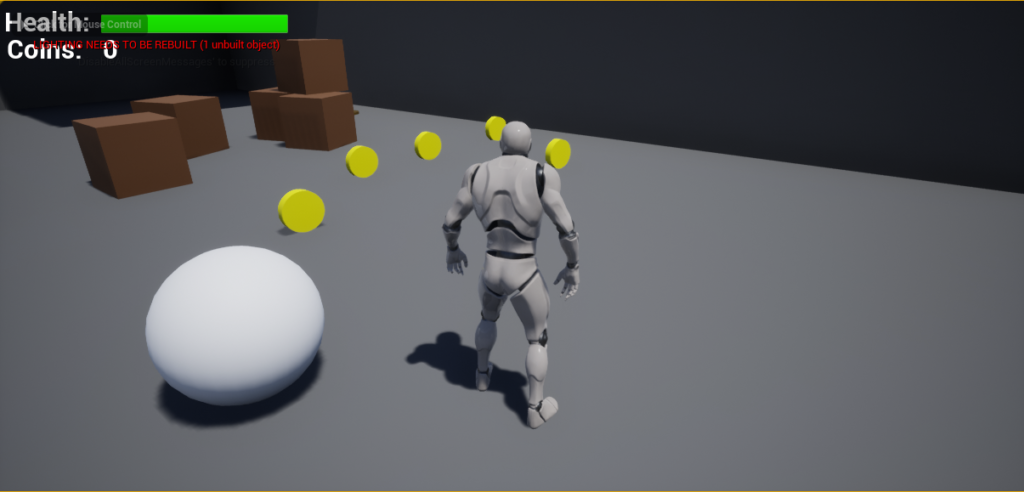
To test out if the Widget blueprint works, I moved the player and collide toward collecting a coin during the game and then the counter changed from this test.
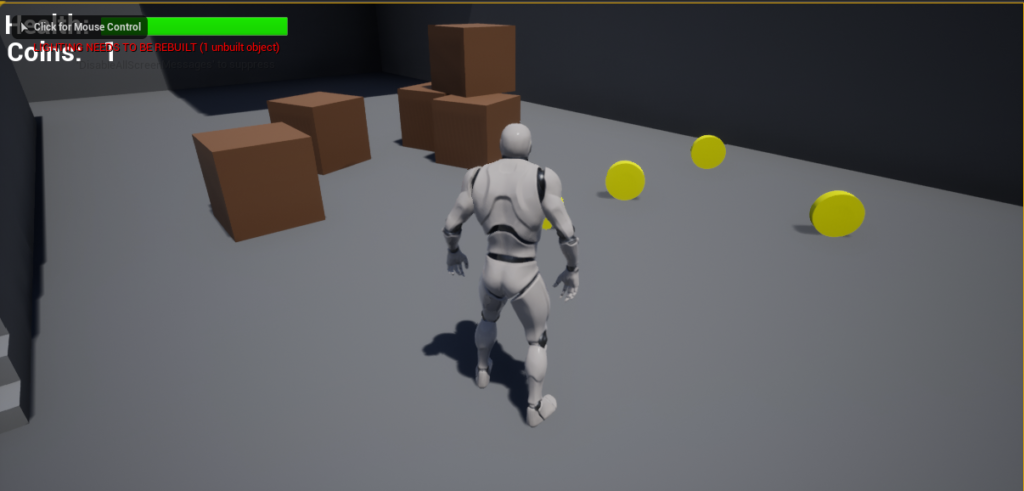
Above (Figure 5), the coin counter was able to change from 0 to 1 based on how many coins the player had collected at the time and was possible to keep that part of the UI updated all the time. While the health bar could not be changed due to not implementing any means of damaging the player, the main focus here was just understanding how to create and update UI and with this, I feel like I am ready to start developing the indie project of a game. After using and developing a few mechanics to prototype with during the Unreal Engine 4 test, I could make use of some of the mechanics for my game because this would save development time and make improvements to the mechanics. One mechanic, I would want to improve in getting the shooting working better toward the game because currently it has issues with making the bullet travel and has collisions around the player.
On a final note toward this week blog, I wanted to reflect back on the 2D games Format Project that I had worked on a couple of weeks ago. Recently, I finished writing up the tutorial guide for developing a 2D game that makes use of Pathfinding. Overall I was very happy with how the guide turned to be in the end. I felt that, while the guide was very in-depth through making every mechanic I had previously made for that project being included in the guide. However, the drawback was that it really drew away from the focus of developing Pathfinding around the guide. To resolve this, I had to cut away 3 steps from the guide after the step that implemented the pathfinding to the game. While this decision was not easy to make, I feel was the right direction for the guide as I feel the audience would not be distracted from other mechanics that are not related to pathfinding.